

Messages
SMS, email, and chat activity.
Designed for digital family safety
Ion Monitor helps parents stay informed about their child's digital habits through responsible, permission-based monitoring tools for family safety and device awareness.

Built for transparency, safety, and modern parental guidance across Android and iOS devices.
Next-generation monitoring
SMS, email, and chat activity.

Incoming, outgoing, missed calls.

Live GPS and visited places.

WhatsApp, Facebook, Instagram, more.

Photos, videos, and audio signals.

Keywords and risky activity flags.
Click arrows or tap side cards to bring any feature into center focus.
Read all incoming, outgoing, and deleted text messages with timestamps and contact names.
Track incoming, outgoing, and missed call history, call duration, and contact details.
Pinpoint real-time GPS location, view route history logs, and set geofence safe zones.
Monitor conversations, group chats, shared media, and call logs on WhatsApp, Instagram & Facebook.
Access all saved photos, captured camera images, recorded videos, and audio clips.
Record all keystrokes typed on the phone and get instant notifications for sensitive keywords.
Inspect full web browsing history, search engine queries, bookmarks, and incognito sessions.
See installed apps, monitor daily usage hours, and remotely block harmful applications.

Operates 100% invisibly in the background without icon visibility or battery drain.
Read all incoming, outgoing, and deleted text messages with timestamps and contact names.
Track incoming, outgoing, and missed call history, call duration, and contact details.
Pinpoint real-time GPS location, view route history logs, and set geofence safe zones.
Monitor conversations, group chats, shared media, and call logs on WhatsApp, Instagram & Facebook.
Access all saved photos, captured camera images, recorded videos, and audio clips.
Record all keystrokes typed on the phone and get instant notifications for sensitive keywords.
Inspect full web browsing history, search engine queries, bookmarks, and incognito sessions.
See installed apps, monitor daily usage hours, and remotely block harmful applications.
Operates 100% invisibly in the background without icon visibility or battery drain.
Read all incoming, outgoing, and deleted text messages with timestamps and contact names.
Track incoming, outgoing, and missed call history, call duration, and contact details.
Pinpoint real-time GPS location, view route history logs, and set geofence safe zones.
Monitor conversations, group chats, shared media, and call logs on WhatsApp, Instagram & Facebook.
Access all saved photos, captured camera images, recorded videos, and audio clips.
Record all keystrokes typed on the phone and get instant notifications for sensitive keywords.
Inspect full web browsing history, search engine queries, bookmarks, and incognito sessions.
See installed apps, monitor daily usage hours, and remotely block harmful applications.
Operates 100% invisibly in the background without icon visibility or battery drain.
Live Control Panel Demo
Experience the intuitive, real-time control panel where all monitored chats, GPS logs, call recordings, and media activity are updated live.
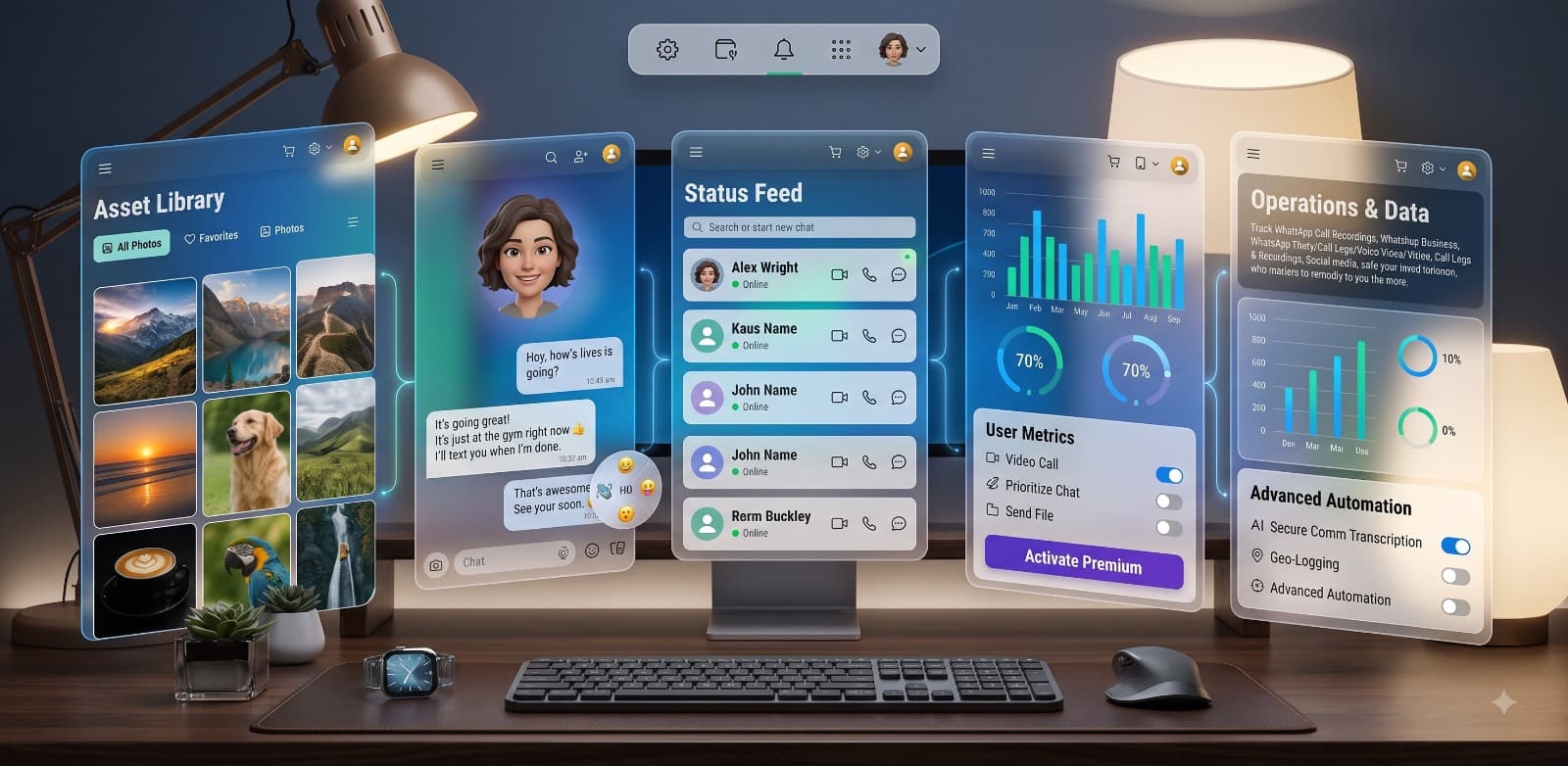
No technical skills required. Get started in less than 2 minutes.
Choose your plan and get login access instantly via email.
Use our 60-second wizard to link the device — 100% hidden.
View location, calls, chats & more from your control panel.
30-Day Money Back Guarantee
Verified Testimonials
See how families rely on Ion Monitor to ensure digital wellbeing and child safety.
4.8
5,000+ Verified Ratings
98% Positive Feedback
The reporting tools make it easier to discuss healthier device habits at home.
Android and iOS activity summaries feel clean, fast, and easy to review daily.
The organized dashboard helps review communication summaries without confusion.
Location and device status cards keep the important family safety updates visible.
Screen-time and app usage insights help guide calmer conversations with kids.
The product feels focused on responsible monitoring and protected dashboard access.
FAQ
Purchase, support, installation, dashboard, updates, devices, and legal-use answers in one compact section.
After your payment is confirmed, check your inbox for the welcome email. It includes your account access and setup instructions. Log in to the dashboard and follow the installation wizard to connect the device.
Ion Monitor provides support for setup and account questions. You can contact the support team by email, and assistance can be used during installation, dashboard access, and device sync steps.
iOS setup depends on the supported device and account configuration. Follow the instructions inside the dashboard. In some cases, account verification or physical access may be required during setup.
Create your account, open the setup guide, download the app on the family device, and complete permission-based configuration. Android 6.0 or higher and a stable internet connection are recommended.
Once setup is complete, activity summaries and device insights appear in your secure dashboard. You can open the dashboard from a browser and review supported data in organized cards.
Update timing can depend on platform, internet connection, permissions, and sync status. Android updates can follow the selected dashboard interval, while iOS updates may depend on account synchronization.
A standard plan is typically designed for one monitored device. If you need to monitor multiple family devices, choose a plan that supports additional devices or contact support before purchase.
If a child changes phones, you can move monitoring to another supported device according to your plan rules. You may need to remove the old device and complete setup again on the new one.
If supported by the device and permissions, the dashboard can show device sync issues or app status changes so parents know when monitoring may need attention.